
Hosting is often chosen in ten minutes, on an introductory price. Six months later the site is slow, backups are missing and the renewal doubles.
Here are the criteria I check before recommending a host, in the order I check them.
What does WordPress expect from a host?
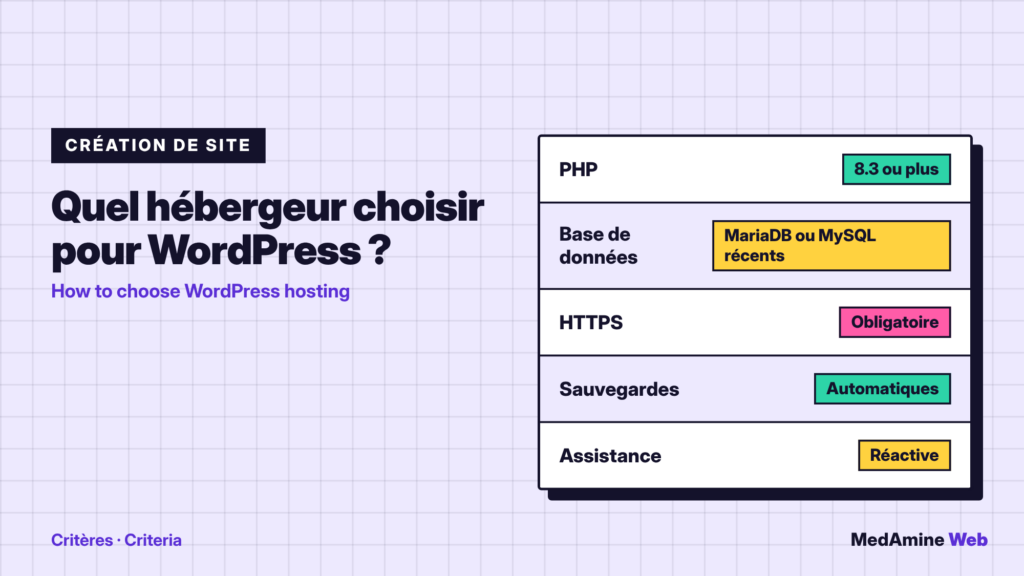
According to the official requirements page, WordPress recommends PHP 8.3 or greater, MariaDB 10.11 or greater (or MySQL 8.0 or greater) and HTTPS support.
Apache and Nginx are the suggested servers. The older versions listed as minimums have reached end of life and can expose the site to vulnerabilities.
Shared, VPS or managed hosting, which one?
| Type | Who it suits | Watch out for |
|---|---|---|
| Shared | Brochure site, blog | Shared resources |
| Managed WordPress hosting | Business site with no time for tech | Some plugins restricted |
| VPS or dedicated server | High traffic, specific needs | You administer the server |
For most of my clients, quality shared hosting or managed hosting is enough. A VPS is only worth it if someone administers the server.
Which PHP and database versions should you check?
Look at the PHP version the plan offers and whether you can change it yourself. A host stuck on old versions exposes you to vulnerabilities and to plugins that no longer work.
Also ask whether you can pick the version per site. It helps when an old plugin is not ready for the latest version.
Are backups included?
They should be, with a restore you can launch without opening a ticket. Check the frequency, the retention period and the storage location.
Even so, keep a copy off the server. I explain the method in backing up a WordPress site.
How do you judge performance before committing?
- Ask for a trial period or a money-back guarantee.
- Measure server response time with PageSpeed Insights.
- Test at different times of the day.
- Check that a server-side cache is available.
A slow site is not always the host’s fault. I list the other causes in why your WordPress site is slow.
Server location matters too. For a European audience, a datacenter in Europe reduces response time and simplifies your obligations about personal data.
How good is the support?
Test it before buying: ask a precise technical question and note the delay and the quality of the answer. Support that replies “restart your site” will not help you during an outage.
A concrete example
A craftsman launches a five-page brochure site with a contact form. Quality shared hosting, with automatic backups and HTTPS, covers the need comfortably.
A shop preparing for a sale has other demands: server cache, reserved resources and support that can be reached quickly. It will rather pick managed hosting, even at a higher price.
Which price should you look at?
The renewal price, not the price of the first period. Also check options billed separately: domain, certificate, email, backups.
Will you be able to leave easily?
Check that you get FTP or SFTP access and database access, and that the domain belongs to you. A host that makes leaving difficult is a bad sign.
What now?
What you can do today:
- Note the PHP version of your current hosting
- Check that you can restore a backup without a ticket
- Find the renewal price in your contract
Dig deeper: WordPress Speed Optimisation