
Site Lens for Drupal
Drupal 10.3 or newer, 11 or 12. PHP 8.1 or newer. GPLv2 or later.
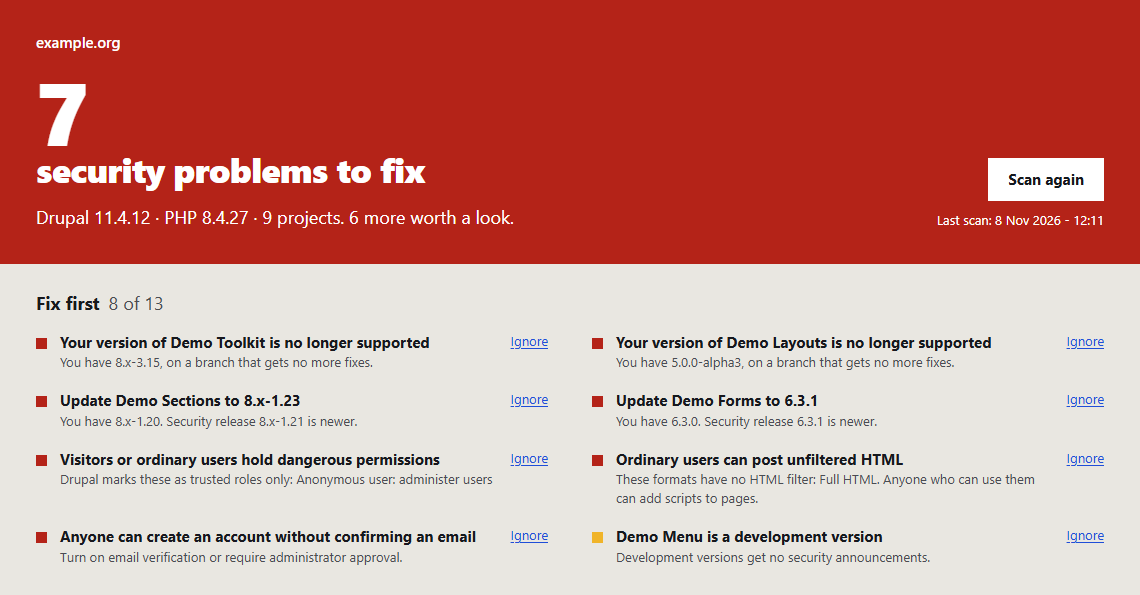
Drupal’s update report tells you when a release is out. It does not tell you that a module you rely on has no security coverage, that its maintainer has stepped away, or that nobody has released anything in three years. Site Lens puts those next to the security releases, and checks your permissions and settings on the same page.
What it checks
- Drupal core and every installed module and theme against drupal.org: security releases you have not applied, unsupported versions and branches, and releases pulled from drupal.org.
- What the update report leaves out: releases with no security coverage, development versions, projects seeking a maintainer or no longer developed, and projects with no release in three years.
- 19 permissions and settings: dangerous permissions held by visitors, unfiltered HTML for ordinary users, administrators without stronger login, forgotten administrators, trusted hosts, update.php access, risky upload types and more.
What you get
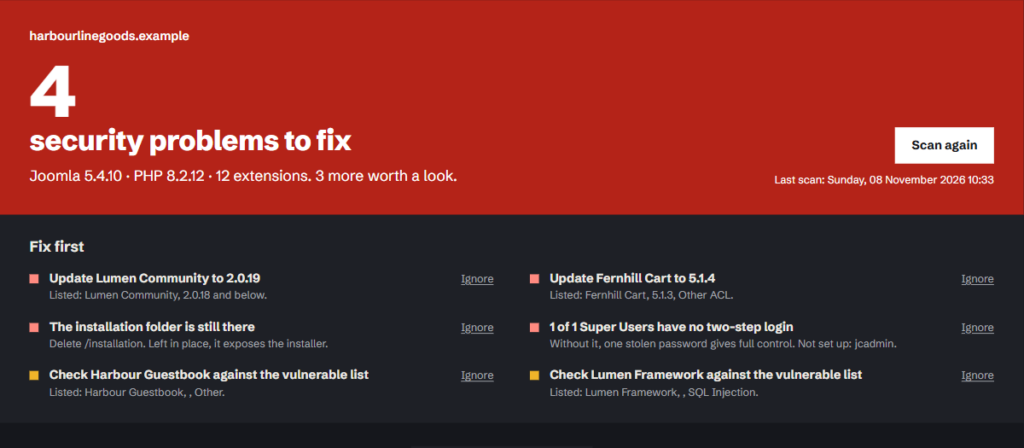
- One clear result at the top and a Fix first list, worst problem first.
- A status and the evidence from drupal.org for every project.
- Ignore a finding you have accepted, and bring it back later.
- The result on the Drupal Status report.
- Optional daily or weekly scans by cron, with an email only when something new appears.
- Copy report: plain text for a client or a ticket.
Tested on
- Drupal 10.6 with PHP 8.2
- Drupal 11.4 with PHP 8.4
- Drupal 12.0 beta 2 with PHP 8.5
Privacy
Site Lens asks updates.drupal.org about each project by name and reads php.net’s list of supported versions. It sends no site key and no information about your site. It does not change your site.
Limits
The lists only cover problems that have been reported, so a clean result is not a guarantee. Site Lens does not scan files for malware.
The screenshots on this page use demo data.
Requirements
Drupal 10.3 or newer, Drupal 11 or Drupal 12, and PHP 8.1 or newer. Your server must be able to reach updates.drupal.org and www.php.net. No other module is needed.
Install
- Download
site_lens-1.0.0.zip. - Unzip it into
modules/custom, so you havemodules/custom/site_lens. - Open Extend, tick Site Lens under Security, and install it.
- Open People, then Permissions, and give Use Site Lens to trusted roles only. Anyone with this permission can see your site’s security problems.
Run your first scan
Open Reports, then Site Lens, and press Scan this site. Press Scan again whenever you want a fresh result.
Read the result
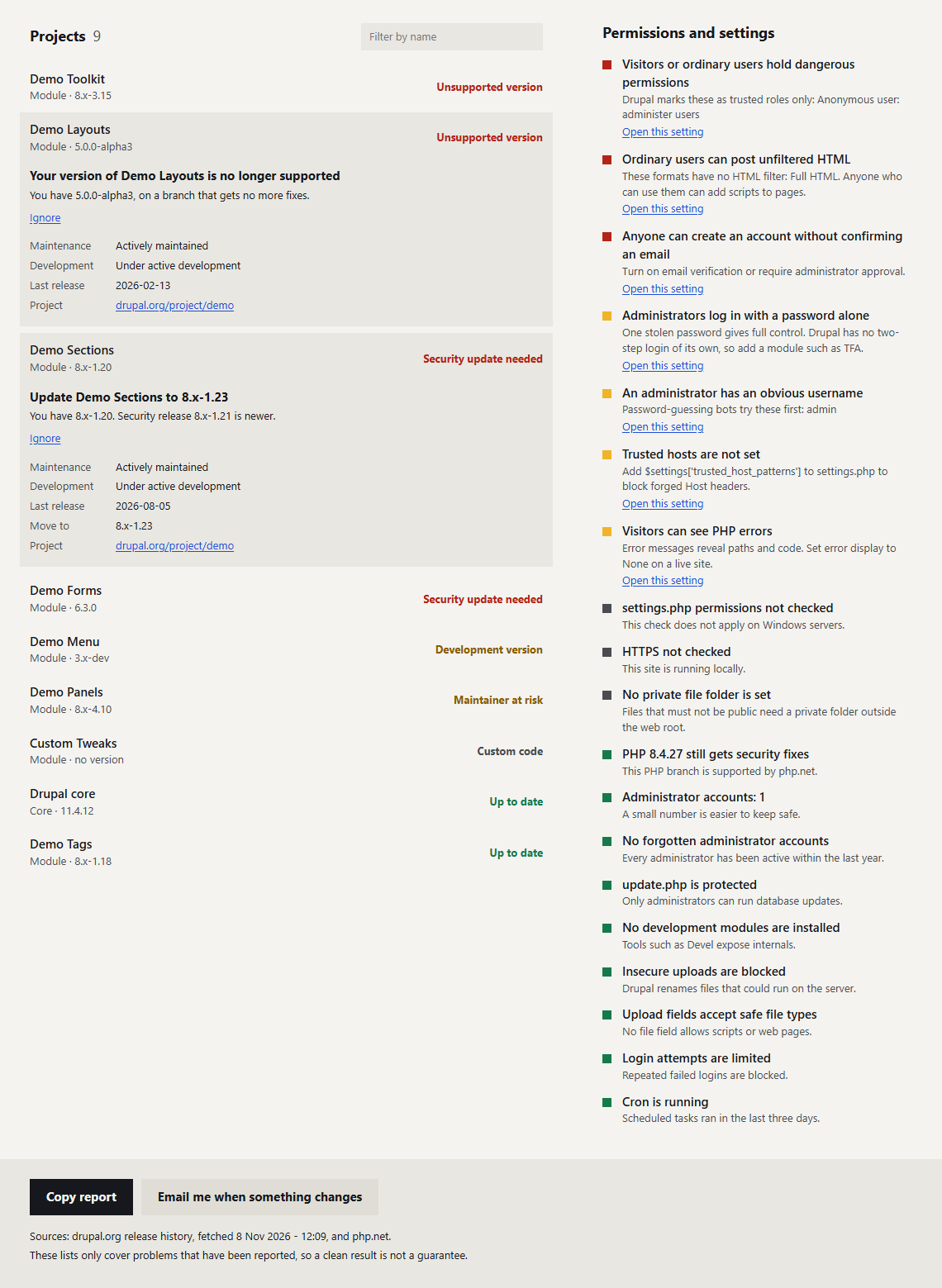
The top of the page gives the overall result. Fix first lists what matters most, worst first. Below it, every project has one status, and you can open a row to see what drupal.org says about it.
- Security update needed: a security release newer than yours exists. If no compatible version is available yet, the report says so.
- Marked insecure: drupal.org lists your version as insecure.
- Pulled from drupal.org: the release can no longer be downloaded, usually for a serious reason. Replace it.
- No longer supported or Unsupported version: security holes will not be fixed in the project or on your branch.
- No security coverage: the Drupal security team will not announce problems in this release.
- Development version: development versions get no security announcements.
- Maintainer at risk: the project is seeking a maintainer, abandoned or no longer developed.
- No release in 3 years: check that it is still looked after.
- Update available: a newer ordinary release exists.
- Custom code: not on drupal.org, so there is nothing to check it against.
- Ignored: you have ignored every finding on this project.
- Up to date: nothing on the lists matches this project.
Ignore a finding
Press Ignore next to anything you have accepted. To bring it back, open the row and use Stop ignoring.
Get an email when something new appears
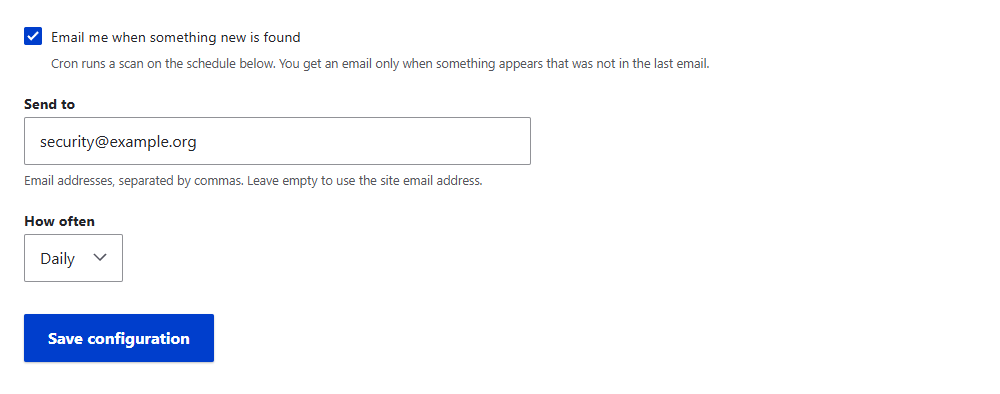
Open Configuration, System, Site Lens. Tick Email me when something new is found, enter one or more addresses, or leave the field empty to use the site email address, and choose daily or weekly. Scans run from cron, so cron must be running. You get an email only when something appears that was not in the last email.
Remove it
Uninstall it from Extend. Its settings and stored results are deleted.
1.0.0 – 8 November 2026
First release.
- Checks Drupal core and installed modules and themes against drupal.org release history.
- Reports security releases, unsupported versions, pulled releases, missing security coverage, development versions, projects at risk of losing a maintainer and projects with no release in three years.
- Audits 19 permissions and settings.
- Ignore and restore findings.
- Shows the result on the Status report.
- Optional daily or weekly cron scans, with an email only for new findings.
- Supports the Claro and Drupal 12 admin themes, including dark mode.
These screenshots come from Site Lens running on a Drupal test site. Module names and the site address are demo data.
The report
Projects, permissions and settings
Email settings
More free tools
-
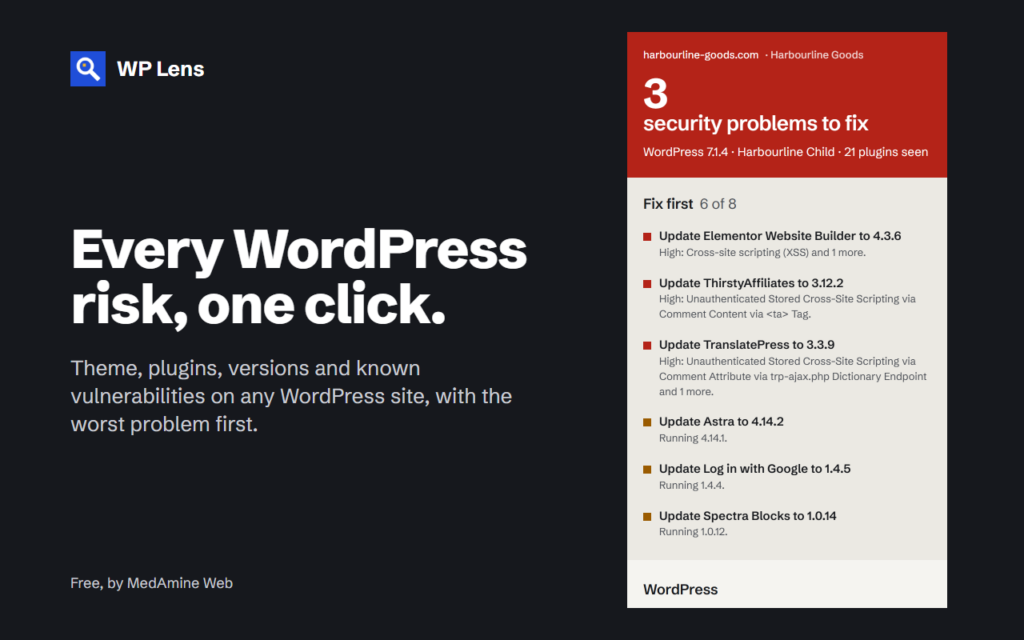
Chrome extension
WP Lens
See the theme, plugins and known vulnerabilities of any WordPress site, in one click from Chrome.
-
Joomla 5 and 6
Site Lens for Joomla
Checks your extensions against the Vulnerable Extensions List and audits 17 security settings from the Joomla admin.