Emberframe: open-source Adobe Fireworks look-alike in Rust
Free and open source under the MIT license. Version 0.1 for Windows.
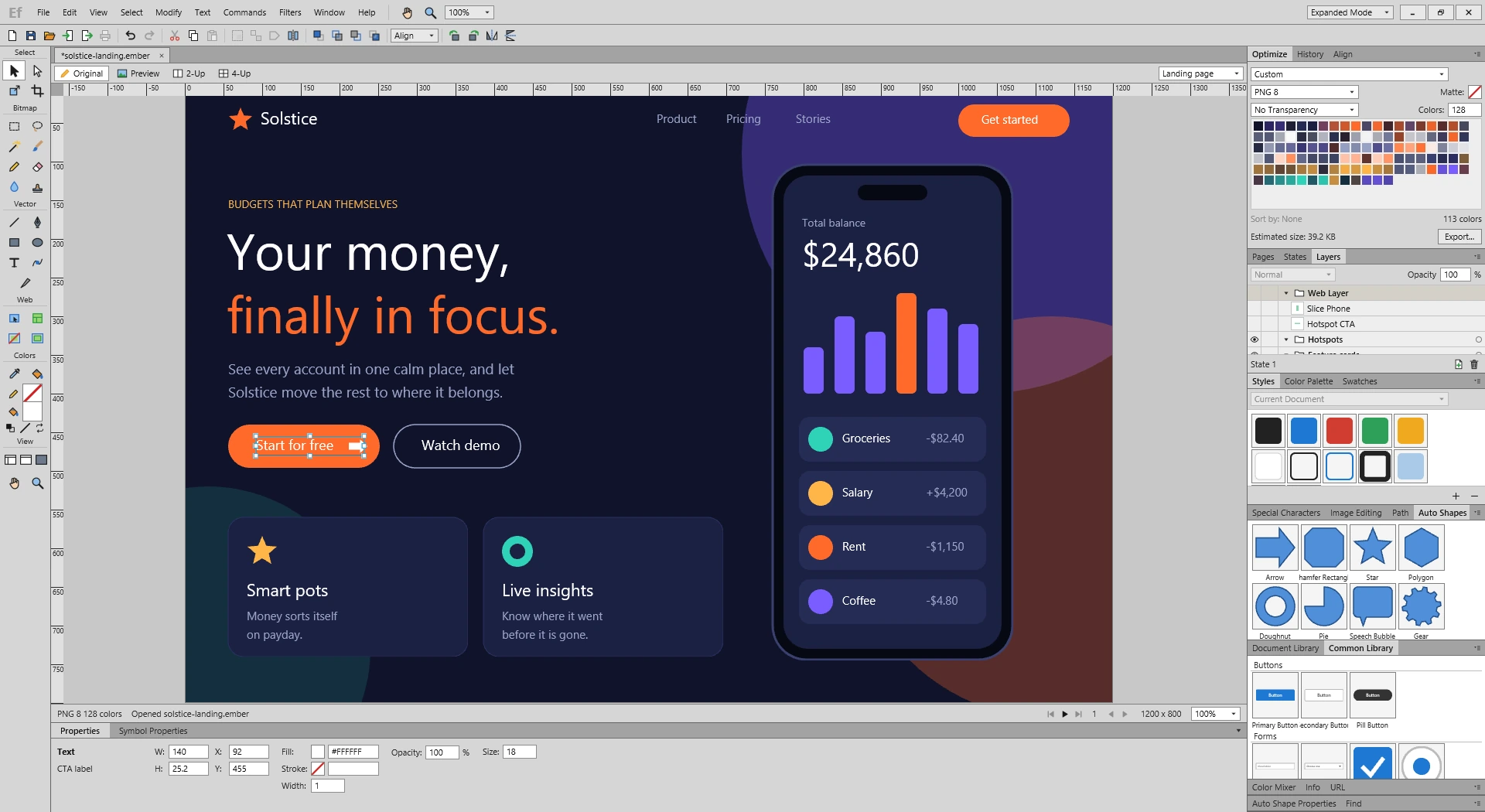
Emberframe is a look-alike of Adobe Fireworks, rebuilt from scratch in Rust and GPUI. It brings back the docked workspace many designers still miss, where vector shapes, bitmap editing, states and web export all live in one window. Adobe stopped developing Fireworks in 2013. Emberframe is my attempt to keep that way of working alive as native software anyone can read, build and change.
What it does
- 27 tools across Select, Bitmap, Vector, Web, Colors and View, including Pen, Knife, Freeform, Magic Wand and Rubber Stamp.
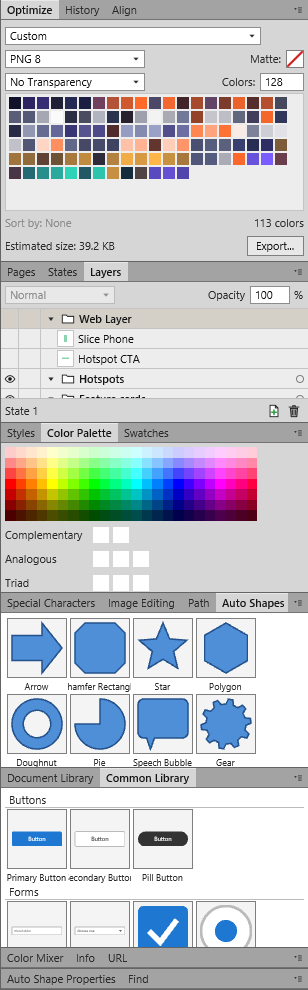
- 23 panels, including Layers, States, Pages, Optimize, Styles, Auto Shapes, Path, Color Palette and the document and common libraries.
- Vector path operations: Union, Intersect, Punch, Crop, Join, Split, Simplify, Expand Stroke, Inset and Outset.
- Bitmap editing with pixel selections, painting, cloning, flood fill and filters.
- Pages, layers, states, onion skinning and reusable symbols.
- Export to PNG 8, PNG 24, PNG 32, JPEG, GIF and animated GIF, with slices and HTML image maps.
Compare exports side by side
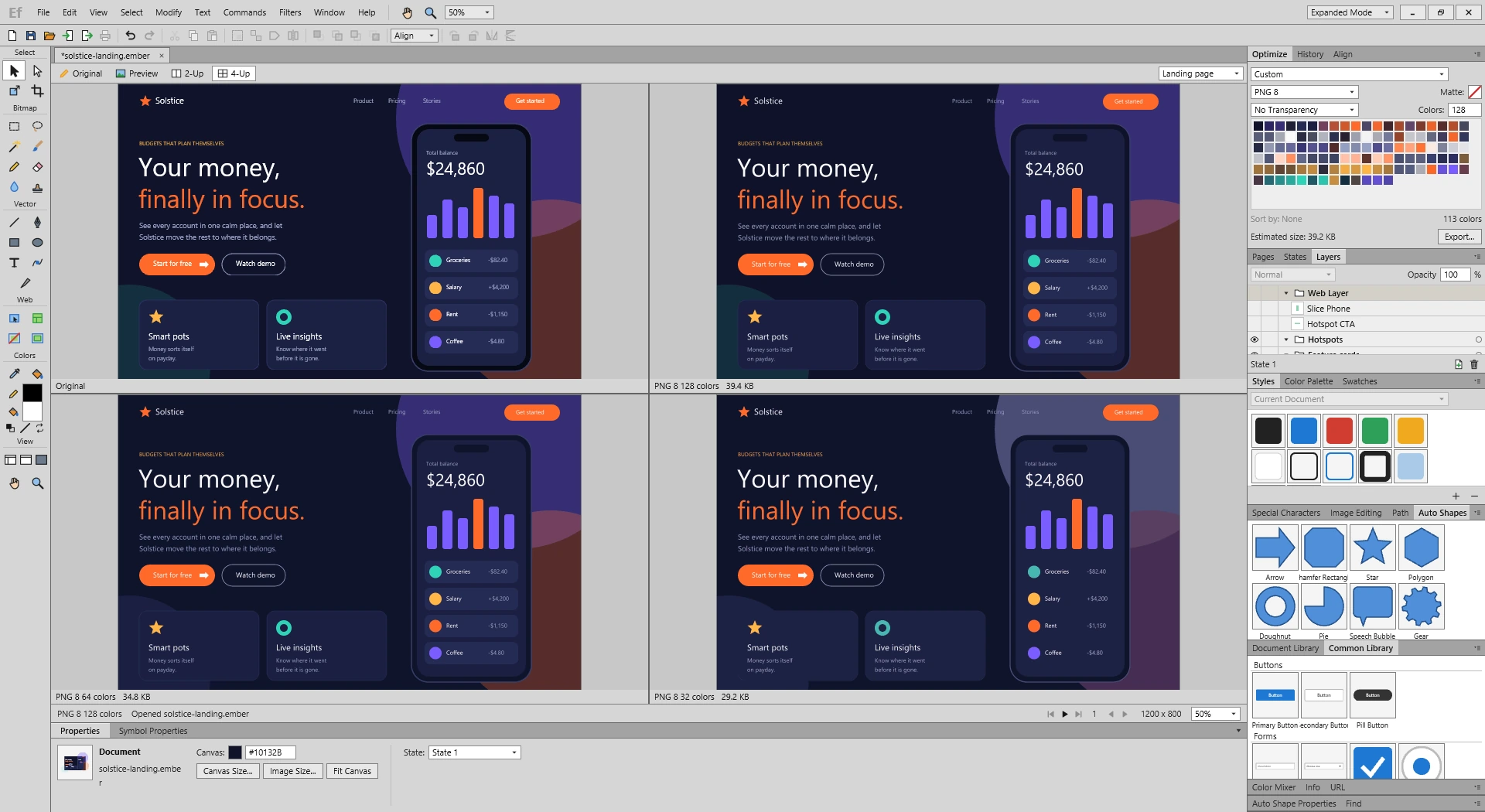
Preview, 2-Up and 4-Up show your design next to different export settings, with the file size of each one.
What is not there yet
This is a first version. Bezier curves, free rotation, masks, live effects and macOS and Linux builds are still missing. The full list is on GitHub, and issues and pull requests are welcome.
Get the code
The Windows download, source, build instructions and a sample design are on GitHub. If Emberframe brings back good memories, a star helps other Fireworks fans find it.
Emberframe is an independent project and is not affiliated with, endorsed by or sponsored by Adobe Inc. Adobe and Fireworks are either registered trademarks or trademarks of Adobe in the United States and/or other countries.
Requirements
The download is a single file for 64-bit Windows and needs no installer. To build from source, you need Rust 1.91 or later, the Visual Studio C++ tools and the Windows SDK.
Install
- Download
emberframe.exefrom the latest release on GitHub. - Run it. The file is not code-signed yet, so Windows SmartScreen may warn you the first time. Choose More info, then Run anyway.
Build from source
git clone https://github.com/gregstein/emberframe.git
cd emberframe
cargo run --release
Run the tests with cargo test.
Open the sample design
Download solstice-landing.ember and open it with Ctrl+O. It is the design shown in the screenshots.
User guide
The user guide on GitHub explains the tools and panels.
Not in this version
- Free rotation, Skew and Distort. Rotate turns objects by 90 degrees and skips text and symbols.
- Bezier curves. Pen paths use straight segments.
- Masks, live effects in Styles, and moving selected pixels in place.
- Dragging Auto Shapes and library items onto the canvas. Click them to insert.
- Printing, layer blend modes, and JPEG Selective quality and Smoothing.
- Layers inside Fireworks PNG files. Only the flat image is read.
- macOS and Linux builds.
Help
Report a bug or suggest a feature in the GitHub issues.
0.1.0 – 8 November 2026
First public build.
- 27 tools for selection, bitmap, vector, web, color and view work.
- 23 docked panels, including Layers, States, Pages, Optimize, Styles and Auto Shapes.
- Vector path operations such as Union, Intersect, Punch, Expand Stroke, Inset and Outset.
- Bitmap painting, cloning, flood fill, pixel selections and filters.
- Pages, layers, states, onion skinning and reusable symbols.
- Export to PNG 8, PNG 24, PNG 32, JPEG, GIF and animated GIF, with Preview, 2-Up and 4-Up comparison, slices and HTML image maps.
SHA-256 of emberframe.exe: 4A271086EF97DC3DCF758EFE714D5FA225684B28596106740216964B51B660AB
The workspace
4-Up export comparison
The panel dock
More free tools
-
Chrome extension
WP Lens
See the theme, plugins and known vulnerabilities of any WordPress site, in one click from Chrome.
-
Joomla 5 and 6
Site Lens for Joomla
Checks your extensions against the Vulnerable Extensions List and audits 17 security settings from the Joomla admin.