

Before changing anything, you need to know what is slowing your site down. Stacking caching plugins at random often makes things worse. Here is my method, followed by the 12 causes I come across most often in audits.
Why is my WordPress site slow?
For every page, the server has to run WordPress and query the database, then the browser has to download and display images, fonts and scripts. The slowdown can sit at any of these steps, which is why measuring matters.
What is a good load time?
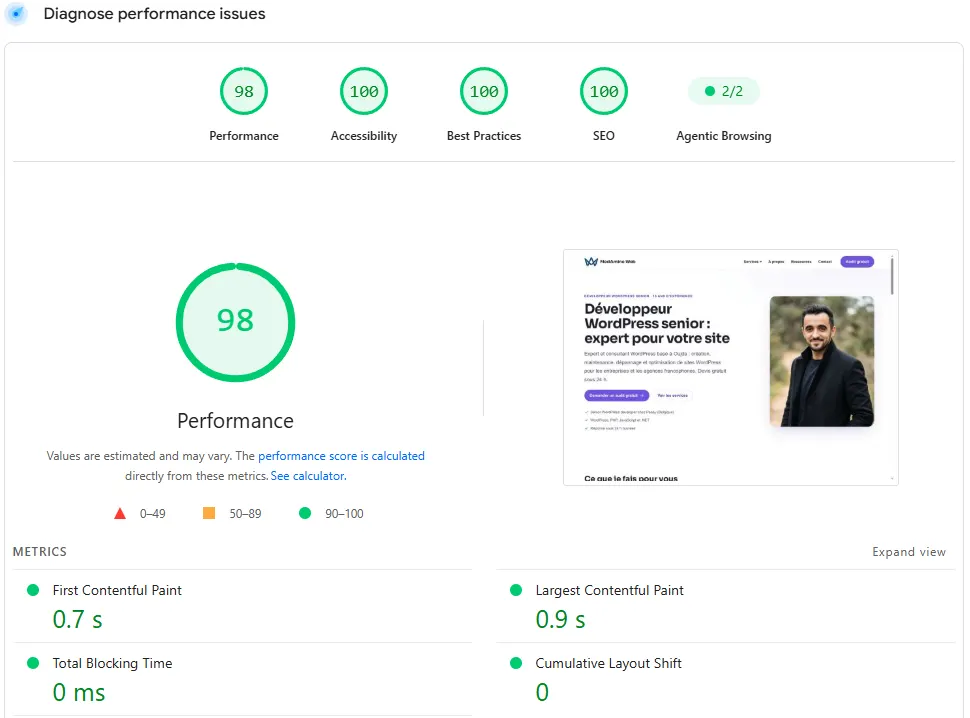
Google uses three metrics, measured on real visitors. LCP (when the main element appears) should stay under 2.5 seconds, INP (how quickly the page responds to clicks) under 200 milliseconds, and CLS (layout stability) under 0.1. In PageSpeed Insights, look at the “Discover what your real users are experiencing” section before the lab score.
The 12 most common causes
| Cause | How to spot it | Fix |
|---|---|---|
| Underpowered hosting | High TTFB, even on a simple page | A suitable plan, recent PHP, server caching |
| No page caching | Every visit rebuilds the page | Server-side page cache or a caching plugin |
| Oversized images | The LCP element is an image of several hundred KB | Resize, WebP/AVIF, declared dimensions |
| Main image lazy-loaded | The LCP waits for lazy loading | No lazy loading on the top image, high priority |
| Heavy page builder | Lots of CSS/JS on every page | A lightweight theme or removing unused modules |
| Too many third-party scripts | Chat, pixels, maps, embedded videos | Load on click, remove what isn’t needed |
| Unneeded or heavy plugins | Slow queries visible in Query Monitor | Deactivate, replace, or build something lighter |
| Cluttered database | Large autoloaded options, revisions | Targeted cleanup, a cap on revisions |
| Badly loaded web fonts | Several families and weights | Host them locally, preload one font |
| Old PHP version | Version shown in Site Health | Move to a supported version after testing |
| No compression or HTTP/2 | Uncompressed files | Turn on Brotli/Gzip with your host |
| Embedded videos and iframes | Loaded as soon as the page opens | A clickable thumbnail (a “facade”) |
Do I need a caching plugin?
Yes, unless your host already provides page caching. Use one solution and configure it well, because two caching plugins trip over each other. Caching also won’t fix oversized images or a bloated theme.
Does hosting affect speed?
A lot, especially server response time (TTFB). If the TTFB stays high with caching on, the problem is on the server: not enough resources, no object cache or a slow database.
How do I improve LCP?
- Find the LCP element in PageSpeed Insights (often the image or heading at the top of the page).
- Serve that image in the right format and size, without lazy loading.
- Cut the CSS and fonts that block rendering.
- Reduce the server response time.
Do images slow WordPress down?
They are often the heaviest part of the page. A photo uploaded straight from a recent phone or camera can be several megabytes while it’s displayed a few hundred pixels wide. WordPress generates intermediate sizes, but the theme may still use the original image.
- Resize images to the size they’re actually shown at before uploading them.
- Use WebP or AVIF, which are lighter at the same quality.
- Declare width and height to avoid layout shifts.
- Don’t lazy-load the main image at the top of the page.
How do I measure without fooling myself?
The PageSpeed Insights score changes from one test to the next because it’s calculated on a simulated device. The “field” data, collected from real Chrome visitors over 28 days, is more reliable for tracking progress. Always measure the same pages (home, a service page, an article) and write down the results before you change anything.
Where should I start?
- The server: if the response time is well over half a second, no front-end optimisation will be enough.
- The LCP element of your key pages.
- Third-party scripts: every tool you add (chat, pixel, map) has a cost.
- The theme and plugins: whatever loads on every page without being used.
What now?
What you can do today:
- Run PageSpeed Insights on your three most visited pages and note the LCP.
- Find the LCP element on each page.
- List the third-party scripts that load and the ones you could do without.
Dig deeper: WordPress Speed Optimisation