
People say “WordPress” for a website, a blog, a shop or an agency, and in the end nobody is sure what it means. The word does point to something precise.
Here is a clear definition, what WordPress really costs, what it can do and the cases where another tool fits better.
What exactly is WordPress?
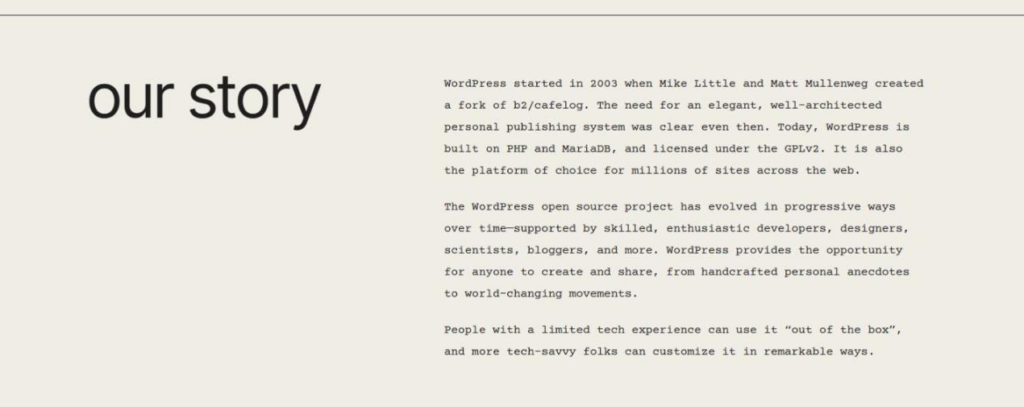
WordPress is open source publishing software built with PHP and MariaDB. According to the official page, it began in 2003 as a fork of the b2/cafelog software, created by Mike Little and Matt Mullenweg.
It belongs to the family of content management systems, or CMS. You write and lay out pages from a dashboard, without editing code every time you add a page.
Is WordPress really free?
The software is. It is released under the GPL, version 2 or later, which lets you use it, study it, change it and share it.
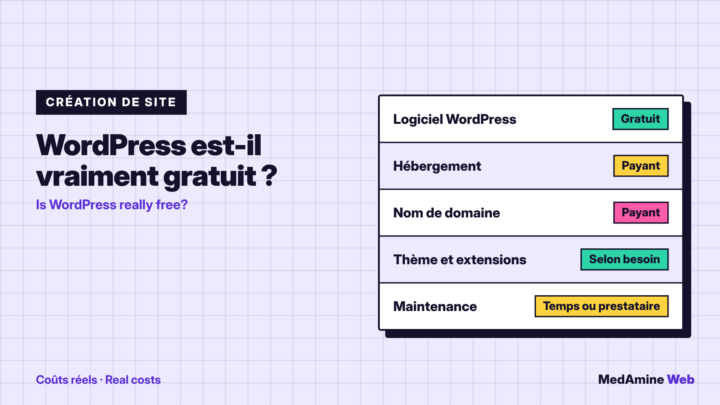
A site that runs on it always has a cost, though. You need hosting, a domain name, sometimes a paid theme or extension, and time for maintenance.
| Item | Free? | What to plan for |
|---|---|---|
| WordPress software | Yes | Nothing to pay |
| Hosting | No | A yearly or monthly plan |
| Domain name | No | A renewal every year |
| Themes and plugins | Partly | Free versions and paid licences |
| Maintenance | No | Your time or a provider |
I break down real budgets in how much a WordPress website costs.
What is the difference between WordPress.com and WordPress.org?
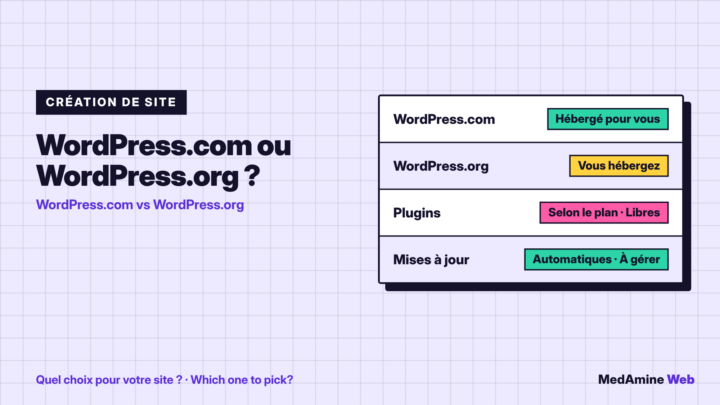
WordPress.org distributes the software you install with the host of your choice. WordPress.com is a commercial service that hosts your site for you.
According to the WordPress.com comparison, plugins can be installed on paid plans, and updates, backups and security are handled for you. With WordPress.org you keep broad technical freedom, but you do the upkeep.
- WordPress.com suits you if you want to publish fast, without managing a server.
- WordPress.org suits you if you want to choose your host, your plugins and your code.
- The choice comes before you start, because moving from one to the other takes time.
What can you build with WordPress?
A brochure site, a blog, a portfolio, an association site, a directory, a booking site or an online shop. The shop runs on the WooCommerce plugin, which I cover in my WooCommerce service.
The project aims at ease of use, accessibility, performance and security, as its presentation page says. That explains its versatility.
How does WordPress work?
The core manages content, users and the database. Two kinds of components are added to it: themes for the look and plugins for the features.
- The core stores your pages, posts and settings in the database.
- The theme decides the display: colours, header, layout.
- Plugins add features: forms, search optimisation, a shop.
- The block editor lets you compose each page without code.
Do you need to code to use WordPress?
Not to publish. Writing a post, adding an image, creating a page or changing a menu all happen in the dashboard, with fields and blocks.
A little, yes, as soon as you want a feature that does not exist: a quote calculator, a link to your CRM, a particular content type. In that case custom development avoids stacking plugins.
What are the limits of WordPress?
WordPress needs upkeep. Updates to the core, the themes and the plugins must keep pace, or the site becomes vulnerable.
Quality also depends on what you install. Ten badly chosen plugins slow a site down and multiply conflicts, while a few well chosen ones stay stable.
- Maintenance: updates, backups and monitoring to plan.
- Performance: it depends on hosting, theme and plugins.
- Security: it rests on your passwords and your updates.
What does WordPress need to run?
The requirements page recommends a host with PHP 8.3 or greater, and MariaDB 10.11 or greater, or MySQL 8.0 or greater. It states that HTTPS is required for every install.
Apache or Nginx are recommended web servers. WordPress also runs on PHP 7.4 and MySQL 5.5.5, but those versions are no longer maintained and expose the site to vulnerabilities.
Is WordPress right for you?
Yes, if you want a site that can grow and that you own, with a wide choice of themes and plugins. It suits freelancers, small businesses and associations.
No, if you want zero maintenance and no technical decision. In that case a fully managed service, such as WordPress.com, will be more comfortable.
When should you call a professional?
Get help if the site has to sell, connect to your tools or handle heavy traffic. I offer WordPress website development to start a project on solid ground.
What now?
What you can do today:
- Write in one sentence what your site must let visitors do.
- Choose between WordPress.com and WordPress.org before you buy hosting.
- List the features you need, to see which ones call for a plugin.
Dig deeper: WordPress Website Development