
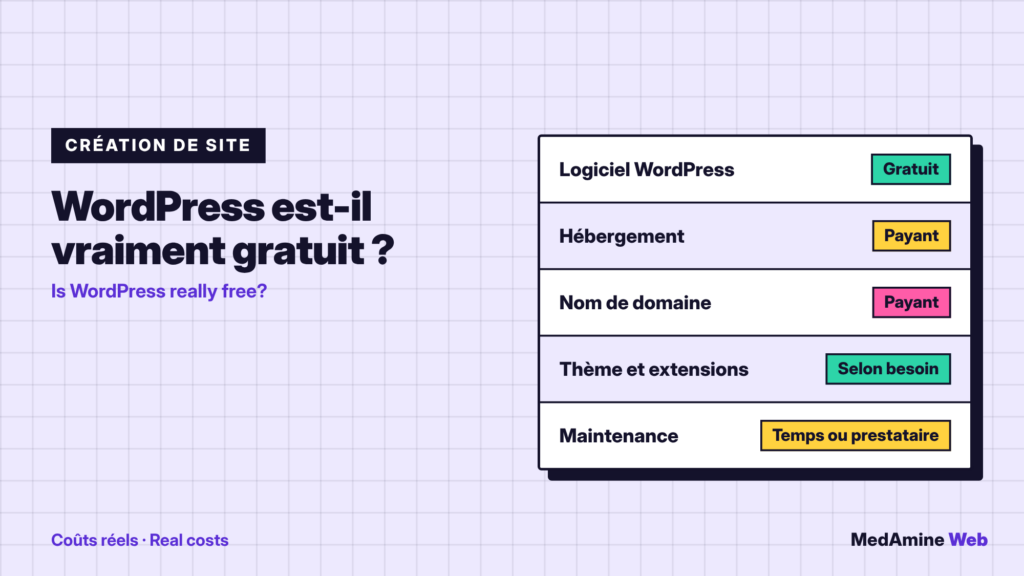
You read everywhere that WordPress is free. That is true of the software, but the software is not what weighs on a website budget.
Here is what is really free, what you have to pay for, what you can avoid paying for and how I frame a budget with my clients.
Why do people say WordPress is free?
Because the software is released under the GPL licence, version 2 or later. According to the official About page, it grants four freedoms: to run, study, redistribute and modify the software.
Free here means open and with no licence to buy. It does not mean there is no running cost.
Which expenses are compulsory?
Two, in every case: hosting that runs the site and a domain name for the address. The software needs a server that meets its requirements, notably PHP and a database.
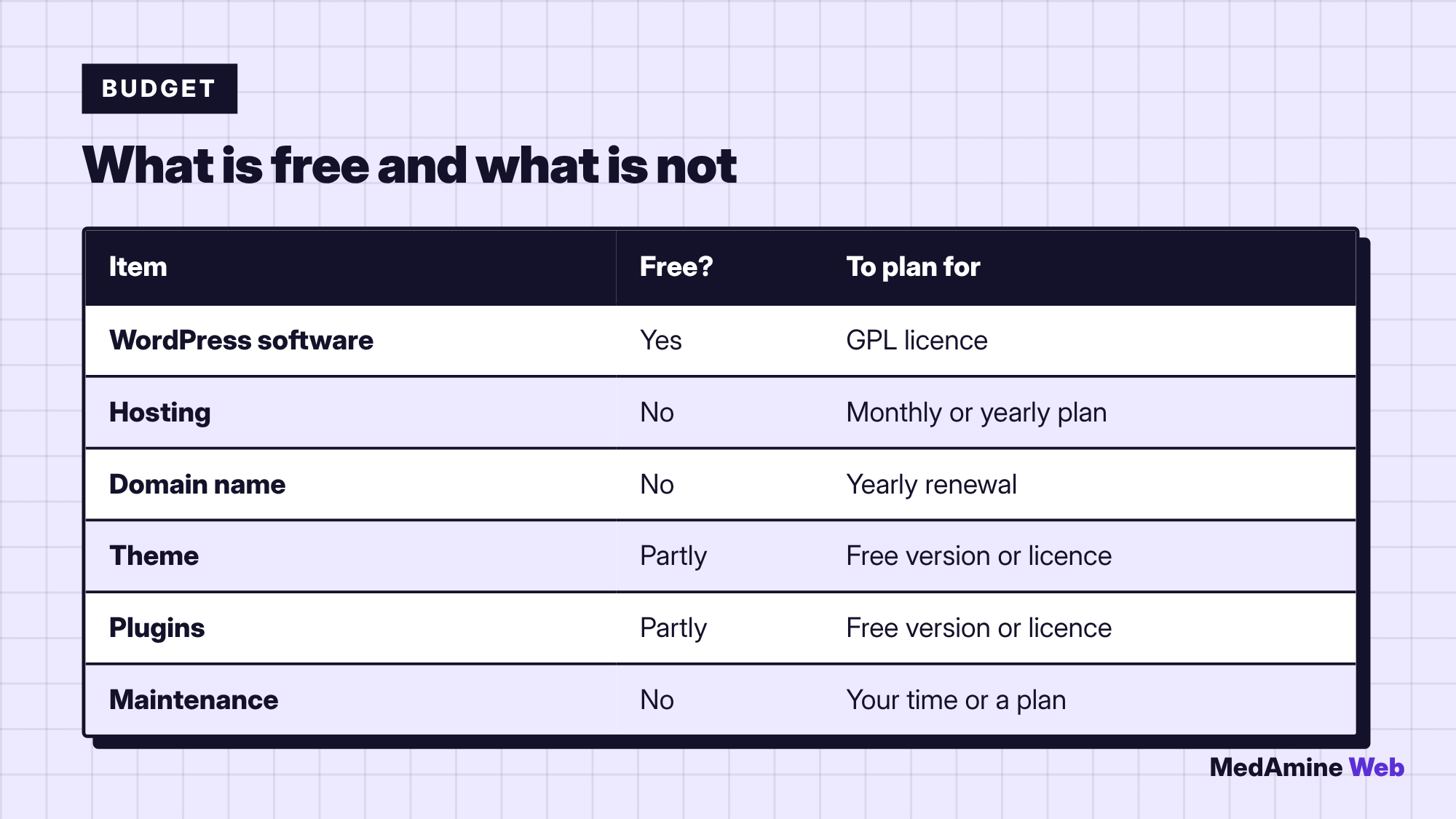
Prices vary a lot by host, commitment length and options. Always compare the renewal price, not the introductory price.
The choice of host weighs more than any other item. Entry-level shared hosting suits a simple site, but it shares resources with other sites. As soon as traffic or features grow, a sturdier plan costs less than a slow site.
Is WordPress.com a free option?
WordPress.com is a commercial service that hosts your site. According to the official comparison, it offers a free plan and paid plans, and custom plugins require a paid plan.
It is handy for publishing fast, but you get less technical freedom than with WordPress.org. I compare the two in an article on choosing between WordPress.com and WordPress.org.
Do you need a paid theme and paid plugins?
Rarely at the start. A free lightweight theme and a few well chosen plugins are enough for a brochure site or a blog.
Paid options become useful when a specific feature saves you time: an advanced form, bookings, a shop. To pick the right ones, read how to choose and install plugins.
Which hidden costs should you watch?
- Renewals: hosting and domain often cost more after the first period.
- Yearly licences: a theme or plugin may charge every year for updates.
- Options: backups, certificate and email are sometimes billed separately.
- Repairs: a broken site costs more to fix than to maintain.
Free plugins from the official directory are often excellent. Check the date of the last update, the number of active installations and the compatibility with your WordPress version before you install them.
How much time should you plan?
Plan half a day to install and configure a simple site, then a few hours a month for updates, backups and security checks.
That time is the first real cost of a free site. If you put a value on it, a WordPress maintenance plan quickly becomes comparable.
Can you build a WordPress site without paying?
You can test for free locally on your computer. For a public site, completely free hosting usually comes with limits: ads, an imposed domain, blocked plugins or weak performance.
When is paying worth it?
| Situation | Is free enough? | Why |
|---|---|---|
| Test or learning | Yes | No availability stakes |
| Personal blog | Often | Few advanced features |
| Company site | Rarely | Image, security and support matter |
| Online shop | No | Every outage costs sales |
The more revenue the site carries, the more reliability justifies a budget. I give ranges in how much a WordPress website costs.
A concrete example: an association launches a presentation site with a blog. It takes modest hosting, a free lightweight theme and three free plugins. Its budget stays low, but it plans one hour a month for updates and a backup check.
How do you limit the budget without taking risks?
- Choose a serious host with backups and support rather than the cheapest.
- Start from a lightweight theme and add only the plugins you need.
- Compare renewal prices before signing.
- Schedule maintenance, even a minimal one, from the first month.
What now?
What you can do today:
- List the expenses of your site: hosting, domain, licences, maintenance
- Spot the renewal dates and put them in your calendar
- Count the time you spend on the site each month
Dig deeper: WordPress Website Development