
A multilingual WordPress site opens your business to more visitors, but it also doubles the work on content, menus and SEO. The right tool and a clear structure from the start save a lot of rework.
Here is how I set up a multilingual WordPress site with Polylang, the plugin I use on this site in French and English. My admin is in French, so the screenshots show French labels. The English names are given in the text.
How does a multilingual WordPress site work?
WordPress does not manage several content languages on its own: you need a plugin. Each page or post exists in as many versions as you have languages, linked together.
The visitor sees the version matching their choice, through a language switcher, and Google receives hints to offer the right version depending on the language of the search.
Before you start, decide whether you will translate the whole site or only the key pages. A half-translated site is more frustrating than a single-language site that is well kept.
Why choose Polylang?
According to its official page, Polylang adds multilingual support to WordPress using core features, with no limit on languages. It shows more than 900,000 active installations.
The free version translates posts, pages, media, categories, tags and classic menus. The Pro version adds deep block editor integration, content synchronisation and machine translation.
Which address structure should you choose?
By default, Polylang puts the language code in the URL path. It can also use a subdomain or a different domain for each language.
| Structure | Example | Best for |
|---|---|---|
| Subfolder | example.com/en/ | Most sites, a single domain to manage |
| Subdomain | en.example.com | Sites separated by country |
| Domain per language | example.co.uk | Very local brands, higher budget |
I recommend the subfolder to begin with: a single domain concentrates the reputation of the site, and maintenance stays simple. It is the structure I use on this site, with English under /en/.
How do you install and configure Polylang?
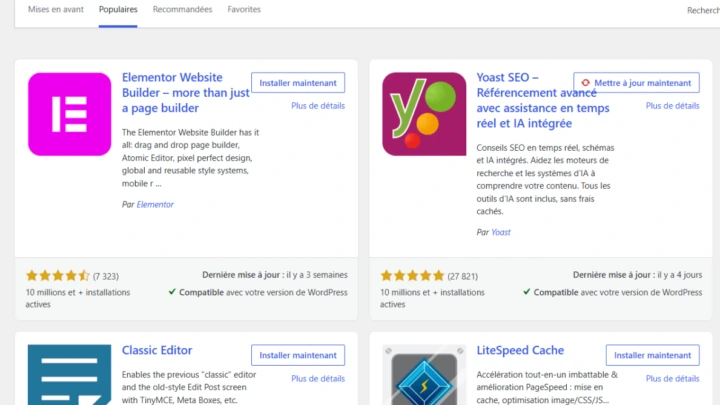
- Install and activate Polylang from Plugins > Add New.
- Open the Languages menu and add each language with its code.
- Choose the default language, the one of your existing content.
- Assign the existing content to that language when the plugin offers it.
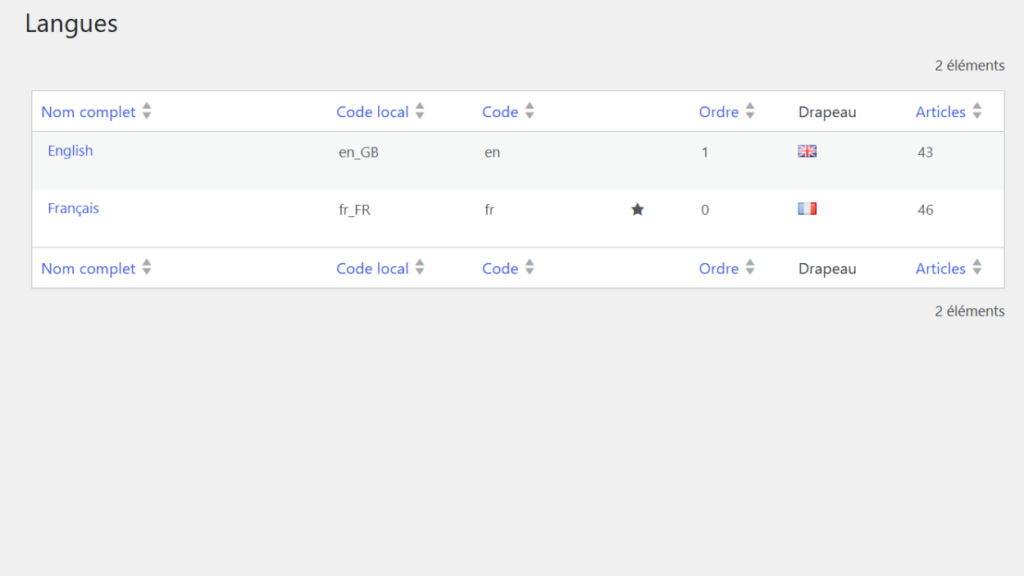
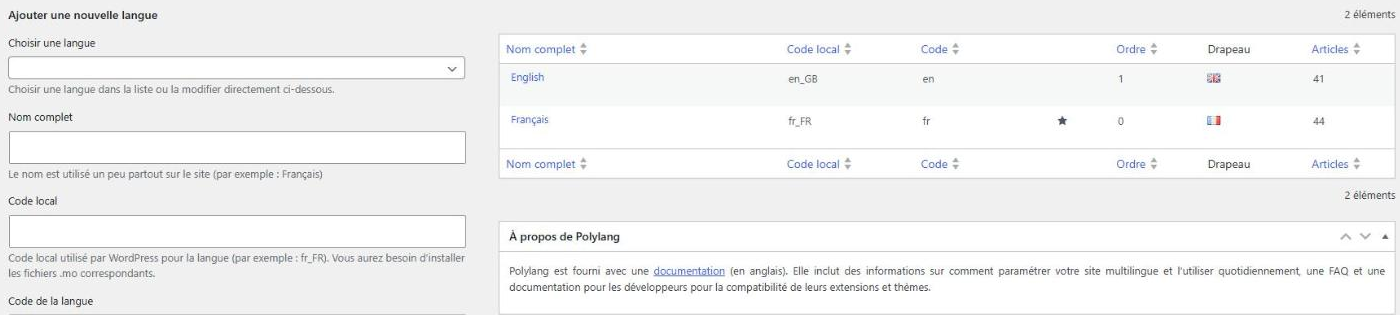
The list of languages shows, for each one, the code, the order, the flag and the number of posts, as in the screenshot above.
How do you translate a page or a post?
In the editor, a language block lets you create the translation of a piece of content. Polylang opens a new draft in the other language and links it to the original automatically.
Translate the title, the page address, the excerpt and the SEO settings too. A page with an English title but a French meta description confuses Google and visitors.
How do you translate menus and the rest of the site?
Each language has its own menu, with its own links to the translated pages. Widgets, categories and images need the same treatment, depending on what your theme uses. Read every language by browsing like a visitor, from the home page to the contact form.
Add a language switcher, available as a block, a widget or a menu item. Put it in the header, where people look first. A visitor who cannot find their language leaves in a few seconds.
How do you handle SEO on a multilingual site?
Google recommends linking the versions of a page with the hreflang attribute, placed in the page code, in HTTP headers or in the sitemap. Each version must list all the others, including itself.
Without links in both directions, Google ignores these hints. Google also advises providing a default version for visitors whose language is not offered.
Which mistakes should you avoid on a multilingual site?
- Translating without linking: an orphan page does not appear in the language switcher.
- Forgetting media and forms: alt text and messages stay in the other language.
- Redirecting automatically by browser language: it can lock visitors and robots on one version.
- Neglecting upkeep: every content update must be mirrored in the other language.
The technical points to check are in my technical SEO checklist. If the site already exists, also read my guide to a WordPress redesign without losing SEO.
When should you call a professional?
Get help if the site is a shop, if the theme handles languages badly or if you are migrating a site that is already indexed. I build multilingual sites with the WordPress website development service.
What now?
What you can do today:
- List the pages of the site that absolutely must exist in the second language.
- Choose the address structure, preferably one subfolder per language.
- Decide who will translate the texts and plan a review by a native speaker.
Dig deeper: WordPress Website Development