
The biggest risks in a redesign are URLs that disappear, deleted content and forgotten redirects. The design itself rarely costs you rankings. Here is the method I use.
When should you redesign a WordPress site?
When it’s slow, hard to edit, poorly suited to mobile, or no longer reflects what you offer. A redesign is also a chance to move from a heavy page builder to a lightweight theme.
How do you keep your traffic after a redesign?
- Take inventory: export the pages that get clicks from Search Console, and crawl the current site.
- Decide page by page: keep, merge or remove.
- Keep the URLs that work; otherwise prepare a 301 redirect to the closest page.
- Keep the useful content: deleting a text loses the rankings that came with it.
- Test the new site on a staging copy blocked from crawlers.
Which redirects do you need?
One 301 redirect for each important old URL, straight to the new page (no redirect chains). Pages removed with no equivalent can return a 410 error, which tells Google clearly that they no longer exist.
Should you change the theme?
Not necessarily. But if the current theme is heavy or depends on a page builder, the redesign is the right moment to move to a lighter one. You gain speed, which Google measures.
How much does a WordPress redesign cost?
It depends on the number of page templates, the content to carry over and the features. A well-prepared redesign costs less than months spent winning back lost traffic.
The pre-launch checklist
- Every important old URL redirects in a single step to a page returning 200.
- Titles and meta descriptions of the key pages are carried over or improved.
- The new site is no longer blocked from crawlers (no leftover noindex, correct robots.txt).
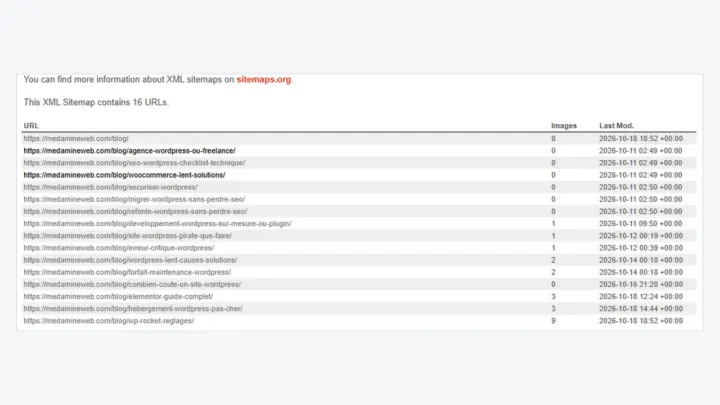
- The XML sitemap only lists the new indexable URLs.
- Internal links point directly to the new URLs.
- Tracking tools (Search Console, analytics) are in place.
What to monitor after the redesign
For the first few weeks, track the number of indexed pages, 404 errors and clicks on your main pages in Search Console. A small fluctuation is normal while Google recrawls the site. A sharp, lasting drop points to a missing redirect or deleted content.
Should you use the redesign to change your URLs?
Only if the current structure causes a real problem (URLs with dates, IDs or inconsistent categories). Every URL change needs a redirect and time to be reindexed, so don’t do it just for looks.
What now?
What you can do today:
- Export the list of your pages that get clicks from Search Console.
- Find the pages that bring in leads or sales.
- Decide for each one whether it stays, gets merged or goes.
Dig deeper: WordPress Website Redesign