
The best content won’t rank if Google can’t crawl or understand the site. Here is the technical checklist I use in WordPress SEO audits.
How do you optimise a WordPress site for SEO?
- Settings › Reading: the “Discourage search engines from indexing this site” box is unticked.
- Readable permalinks:
/%postname%/or a folder-based structure. - An SEO plugin configured: titles, meta descriptions, XML sitemap, breadcrumbs.
- Low-value archives set to noindex: tags, dates, single-author archives.
- HTTPS everywhere and a single version of the domain (with or without www).
- Images with alt text and declared dimensions.
Yoast or Rank Math?
Both handle the essentials very well. Pick one and configure it properly; the configuration matters far more than the brand. Never install both at once.
How do you fix indexing errors?
In Search Console, the “Pages” report lists the pages that aren’t indexed and why. The most common reasons are a page set to noindex by mistake, a duplicate page with no canonical, a 404 error, a redirect, or a page that was “crawled but not indexed” (often content judged too thin).
What is the sitemap for?
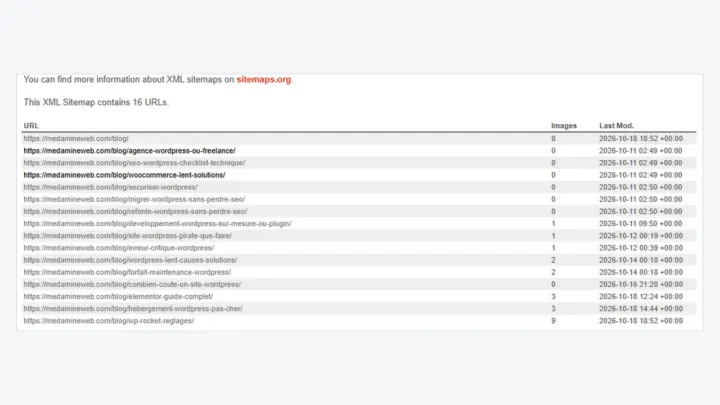
It lists the URLs you want indexed. It should only contain useful, indexable pages that return a 200 code. Submit it in Search Console and check that it doesn’t list useless archives.
Structured data
It helps Google and AI assistants understand who you are and what each page contains: Organization or Person, Article, FAQ, Service, breadcrumbs. Test it with Google’s Rich Results Test.
How much does a WordPress SEO consultant cost?
A one-off technical audit costs less than monthly support. The advantage of a WordPress developer is that they apply the fixes themselves, in the code and the configuration.
Internal linking
Links between your pages tell Google what matters. Every service page should get links from your articles, and every article should link to the relevant service page and to two or three related articles. Use descriptive link text rather than “click here”.
Common technical errors on WordPress
- Attachment pages indexed (one page per image).
- Tag and date archives duplicating the posts.
- A development copy that’s publicly reachable and indexed.
- Redirect chains after several URL changes.
- Images without alt text, and too heavy.
- Two SEO plugins outputting two title tags.
Speed is part of SEO
Core Web Vitals are part of the page experience signals. A slow site is also one that visitors leave before reading, so speed affects rankings both directly and indirectly.
Useful structured data on a WordPress site
| Type | Where | Why |
|---|---|---|
| Organization or Person | The whole site | Identify the author or the business |
| Article | Posts | Dates, author, image |
| BreadcrumbList | Every page | Breadcrumbs in search results |
| FAQPage | Pages with visible questions and answers | Helps search engines and AI assistants understand the page |
| Service | Service pages | Describe the offer and the area served |
What now?
What you can do today:
- Open the “Pages” report in Search Console and note the reasons pages aren’t indexed.
- Check that your sitemap doesn’t list useless archives.
- Add links from your articles to your service pages.
Dig deeper: WordPress SEO Consultant