
MedAmine Site Migration
Free WordPress migration plugin with no size limit: export, upload and import in small resumable steps, with URL replacement and a 7-day undo.
Free. WordPress 5.6 or newer. PHP 7.4 or newer. GPLv2 or later.
Most migration plugins cap their free version: an import size limit, or big sites kept for the paid plan. MedAmine Site Migration has no limit. Every part of the move runs in small steps that save their progress, so a large site moves even on cheap shared hosting, and a stopped upload carries on where it stopped.
What it moves
- Your database, plugins, themes and media, packed into one
.rmigfile. - Every URL and file path, changed to the new address, including inside serialized data, JSON from the block editor and page builders, and URL-encoded values.
- A different table prefix on the new site.
- Database collations the new server does not support, for example from MySQL 8 to MariaDB.
What you get
- No size limit on export, upload or import. The only limits are your disk space and your connection.
- Uploads in chunks, so your host’s upload limit does not matter.
- Your current site keeps running until the very end: the database is loaded into temporary tables and swapped in at once.
- An undo for 7 days after each import.
- Try again on any failed step. Every step can be repeated safely.
- WP-CLI commands for export, import and undo.
What it leaves out
Caches, other plugins’ backup folders, and server-specific files such as object-cache.php and advanced-cache.php, which would break on the new host. Post revisions and spam comments are left out unless you tick them.
Privacy
The plugin sends nothing to any outside service. Archives are stored in a folder inside wp-content with a random name, blocked from direct web access, and downloads go through WordPress for administrators only.
Limits
Multisite networks are not supported yet.
Rather have someone do it for you? See my WordPress migration service.
Requirements
WordPress 5.6 or newer and PHP 7.4 or newer, on both sites, with enough free disk space for the archive. Single sites only.
Install
- In WordPress, open Plugins, then Add New, and search for MedAmine Site Migration.
- Install and activate it. It adds Site Migration to the admin menu.
- Do this on both sites: the one you are leaving and the one you are moving to.
You can also download the zip and upload it from Plugins, Add New, Upload Plugin.
Export the old site
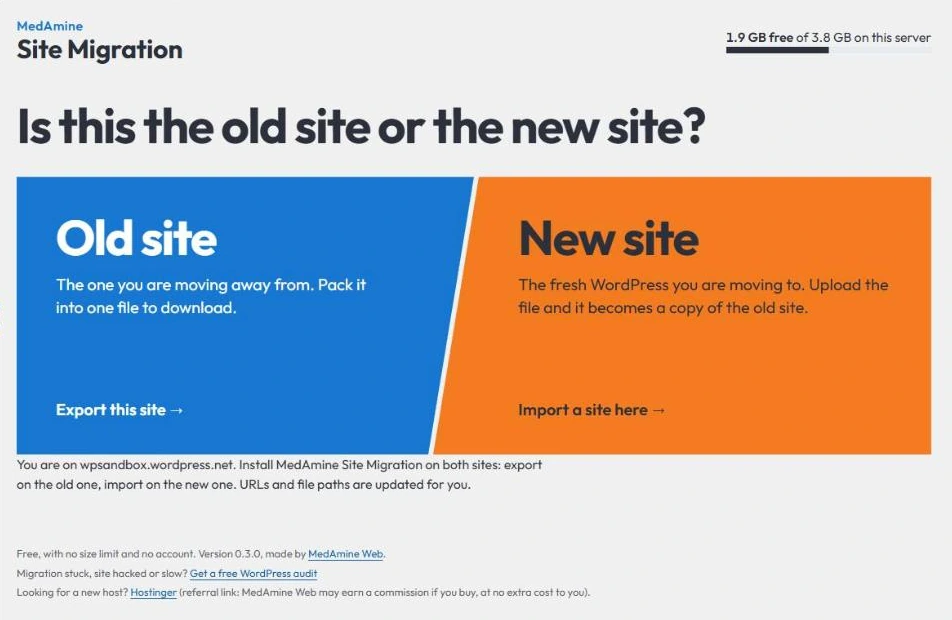
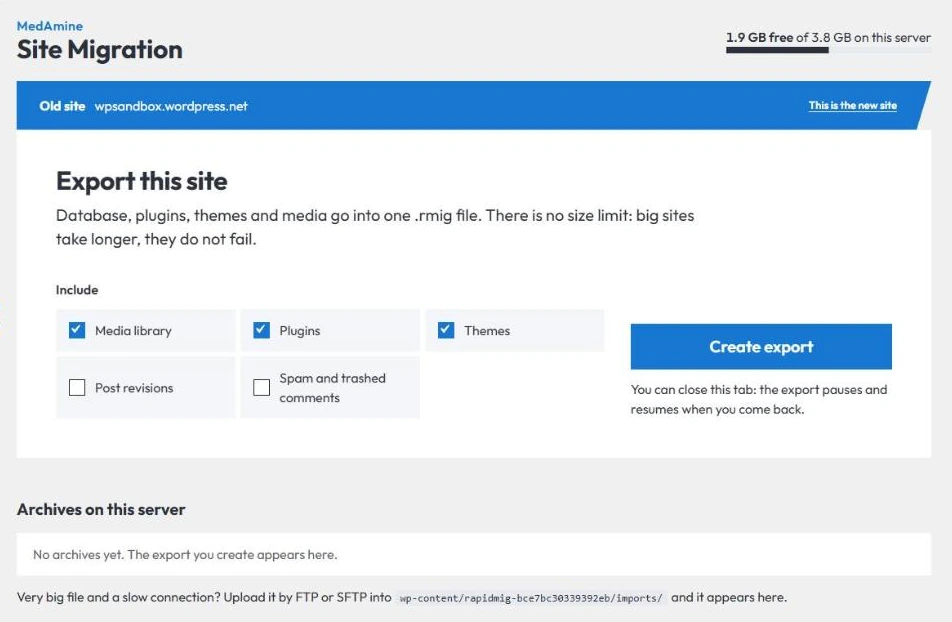
- On the old site, open Site Migration and choose Old site.
- Leave media, plugins and themes ticked unless you want to move them yourself. Tick post revisions or spam comments only if you need them.
- Press Create export. You can close the tab: the export pauses and resumes when you come back.
- When it is done, press Download to save the
.rmigfile.
Import on the new site
- Install a fresh WordPress on the new host, then install the plugin there.
- Open Site Migration and choose New site.
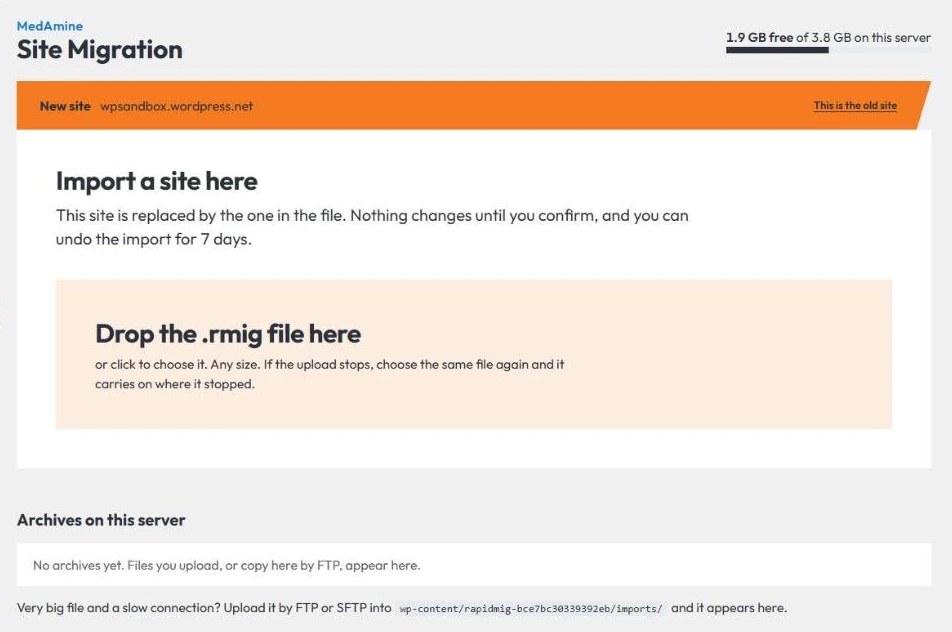
- Drop the
.rmigfile on the page, or click to choose it. If the upload stops, choose the same file again and it carries on. - Check the summary, tick that you understand this site will be replaced, and press Replace this site.
- Log in with a username and password from the old site, then open Settings, Permalinks and press Save.
Very big archives
On a slow connection, upload the .rmig file by FTP or SFTP into the folder shown under Archives on this server. It appears in the list, and you press Import this.
Undo an import
For 7 days after an import, Undo import on the Site Migration page puts the previous site back. When you are happy with the result, press Keep the new site to delete the undo copy and free the space.
If a step fails
Press Try again. Every step can be repeated safely. Cancel removes the temporary files and tables. Copy details for support gives you a short problem report to send.
WP-CLI
wp medamine-migration export, with--skip-media,--skip-plugins,--skip-themes,--keep-revisions,--keep-spamand--dir=<folder>.wp medamine-migration import <file>, with--keep-privateto keep the site hidden from search engines, and--yes.wp medamine-migration undoandwp medamine-migration keep.wp medamine-migration archiveslists the archives on the server.
Choosing a new host
If you are still looking for one, Hostinger works well with this plugin. This is a referral link: I may earn a commission if you buy hosting through it, at no extra cost to you.
Remove it
Deactivate and delete it from Plugins. Temporary files, the undo copy and leftover tables are removed. Archives you made are kept, since they may be your only backup; delete them from the plugin page first if you no longer need them.
0.3.0 – 17 November 2026
First release on WordPress.org.
- New name: MedAmine Site Migration, formerly Rapid Migration. Archives made with 0.2 still import.
- The WP-CLI command is now
wp medamine-migration.
0.2.1 – 8 November 2026
- Each step now works within the server’s own PHP time limit.
0.1.0
- First release.
These screenshots come from the plugin running on a WordPress test site.
Old site or new site
Export
Import
More free tools
-
Chrome extension
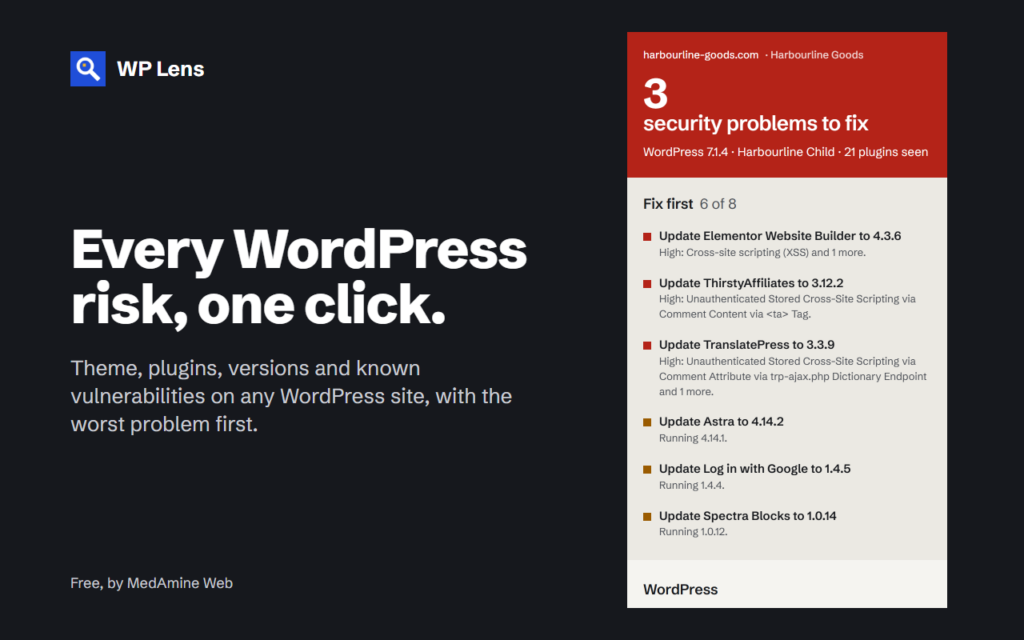
WP Lens
See the theme, plugins and known vulnerabilities of any WordPress site, in one click from Chrome.
-
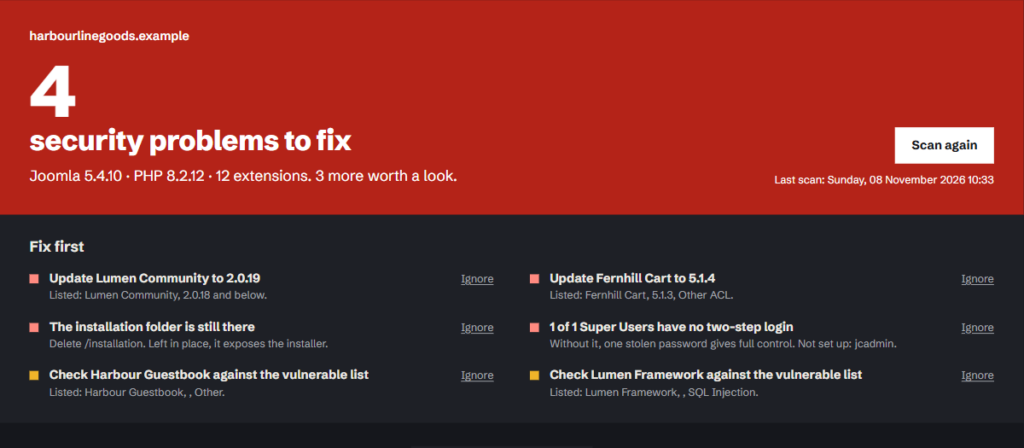
Joomla 5 and 6
Site Lens for Joomla
Checks your extensions against the Vulnerable Extensions List and audits 17 security settings from the Joomla admin.