
Yoast SEO shows more than 10 million active installs on its official page. The plugin helps you manage meta tags, analyze a text and generate the sitemap of a WordPress site.
Here is what Yoast SEO does, how the free version differs from Premium and how to set it up without getting lost in the options. My admin is in French, so the screenshots show French labels. The English names are given in the text.
What is Yoast SEO?
Yoast SEO is an SEO plugin for WordPress. Its official plugin page lists focus keyphrase analysis, readability analysis, XML sitemaps, Schema.org structured data, search result previews and canonical URL management.
It replaces neither the quality of your content nor the speed of your site. It helps you apply the basic rules and forget nothing when you publish.
Is Yoast SEO free or Premium?
The free version is enough to start. Premium adds more advanced tools, according to the plugin page.
| Feature | Free | Premium |
|---|---|---|
| Focus keyphrase | One keyphrase | Up to five keyphrases |
| SEO and readability analysis | Yes | Yes |
| XML sitemaps | Yes | Yes |
| Redirect manager | No | Yes |
| Facebook and X previews | No | Yes |
The official pages give the detail of each plan. Yoast’s installation page listed a Premium price of $118.80 per year excluding VAT, checked in October 2026.
How do you install Yoast SEO?
The simplest way is the plugin catalog of your administration, as explained in the Yoast installation guide.
- Open Plugins > Add New in the admin menu.
- Search for “Yoast SEO” in the search bar.
- Click Install Now, then Activate.
- Open the Yoast SEO menu that appears in the left column.
The plugin requires WordPress 6.9 or higher and PHP 7.4 or higher, and it is tested up to WordPress 7.1.3. You can also upload the zip file with the “Upload Plugin” button.
Where are the Yoast SEO settings?
Open Yoast SEO > Settings. The left column groups general settings, content types, taxonomies and advanced settings.
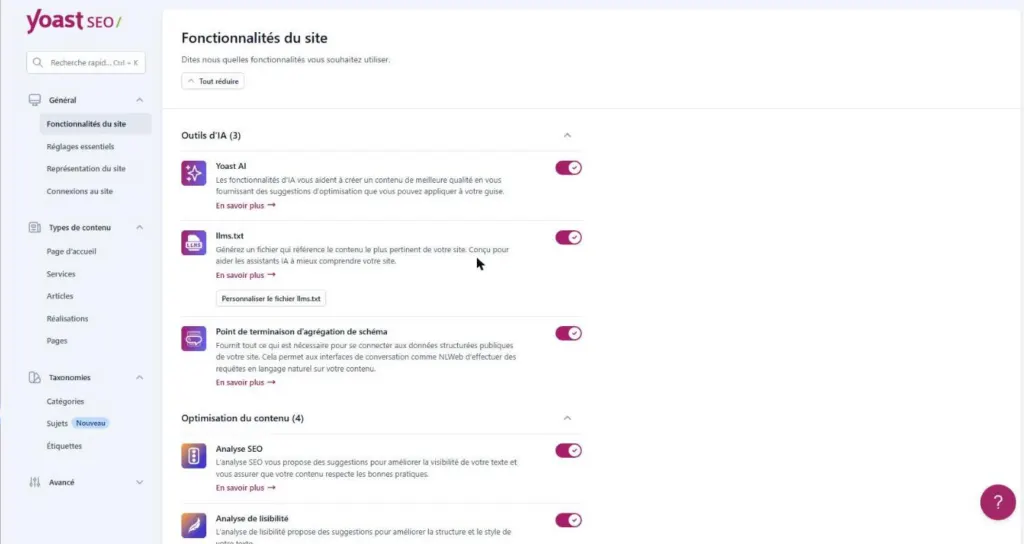
The “Site features” page, visible at the top of this article, lists the tools you can turn on or off, grouped by theme: AI tools, content optimization, site structure, technical SEO, social sharing and tools.
Which Yoast SEO features should you turn on first?
The “Content optimization” section holds the analyses that later appear in the editor.
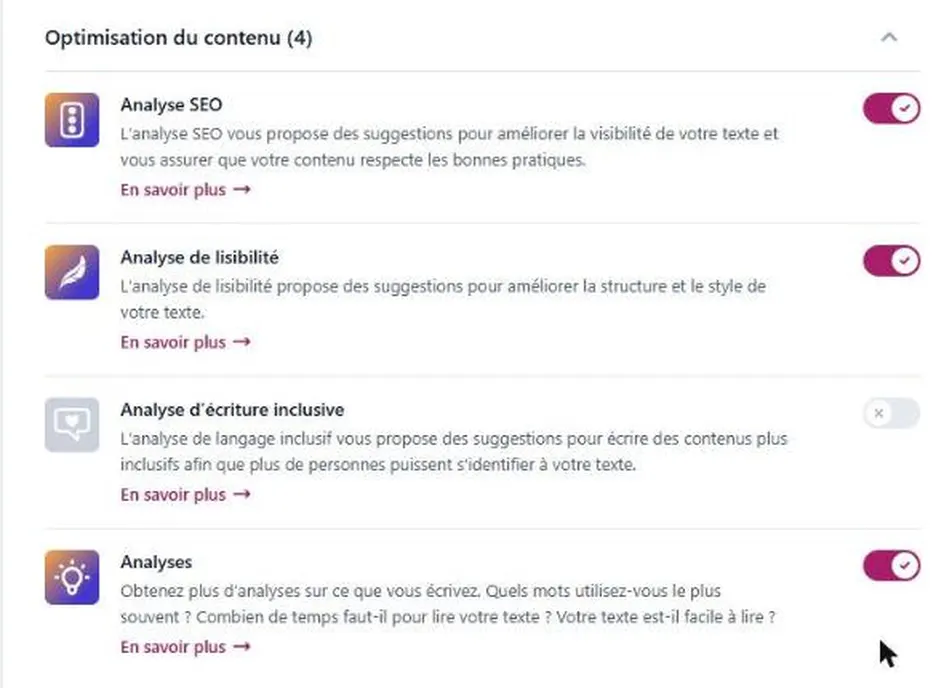
- SEO analysis: it suggests ways to improve the visibility of your text.
- Readability analysis: it comments on the structure and style of your sentences.
- XML sitemaps: they list your pages for search engines.
- Text link counter: it counts the internal links from and to your posts.
On my site, the inclusive language analysis is turned off. You can turn it on if that kind of suggestion interests you.
How do you choose the focus keyphrase?
In the block editor, open the Yoast SEO panel and enter the phrase in the “Focus keyphrase” field. The help text under the field describes it as the word or phrase you want to be found for.
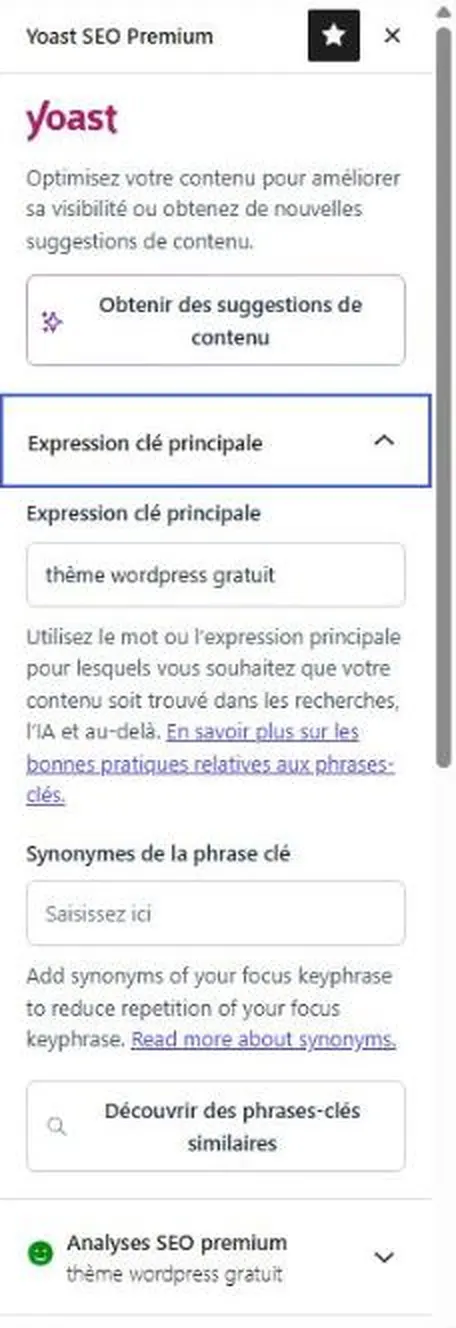
Choose a phrase that your readers actually type in a search engine, with a single idea per post. The free version accepts only one keyphrase, which forces you to stay precise.
How do you read the SEO and readability analysis?
The analysis sorts its remarks by priority, for example “Problems” and “Improvements”. It can flag a keyphrase missing from the introduction, the lack of an external link or an SEO title that does not use the exact phrase.
Treat these remarks as a review checklist. Fix the ones that improve the text for the reader, and ignore those that would make a sentence feel artificial.
How does the Yoast SEO sitemap work?
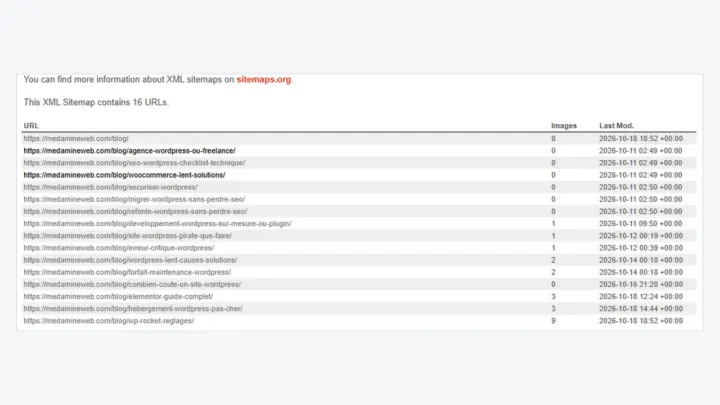
The plugin page says XML sitemaps are updated automatically. I show how to open and check them in my guide to the WordPress sitemap.
To go further than the plugin, follow my WordPress technical SEO checklist. If you are planning a site change, read about a redesign without losing your SEO too.
When should you call in a professional?
You can install and set up Yoast SEO on your own for a simple site. Get help if you have hundreds of pages, if traffic dropped after a redesign or if the plugin conflicts with another tool.
I check the configuration, the tags and the indexing with my WordPress SEO consultant service.
What now?
What you can do today:
- Open Yoast SEO > Settings > Site features and read the list of enabled tools.
- Open a post in the editor and check its focus keyphrase.
- Read the remarks of the SEO analysis and note the ones that really improve the text.
Dig deeper: WordPress SEO Consultant